Revolution Imaging & Design Deal!
October 31st, 2011
Hey Everyone,
We had a great time in NYC at WPPI! Thanks to everyone who came out and said hi! We’ve got some exciting stuff coming your way this week… Our featured partner of the week is here to offer you a special album deal!
Revolution Imaging & Design has developed a comprehensive post-production team to allow photographers to do what they do best: photograph! These guys will act as an extension of your studio, making sure your backend office stuff gets done exactly how you want it. Cool, eh?
This week they’re offering you a 15 spread Design, Print + Bind with a new eco-friendly album for $299. (Regular price: $370)
Be sure to check back tomorrow for a guest blog with some post-production wisdom from our friends at Revolution!
Cheers,
The AlbumExposure Team
Win a free pass to WPPI @PhotoPlus in NYC!
October 11th, 2011
As many of you know, we’ve been attending WPPI Las Vegas for a few years now. This year WPPI is teaming up with PhotoPlus NYC, which means we’re coming to the East Coast! Want to come check out the convention? We’re giving away some free passes! Here’s how you can win one:
1. ‘Like’ us on Facebook and use the form to enter
2. Post why you like AlbumExposure on your Facebook wall and tag us
3. Post why you like @AlbumExposure on Twitter, and use the hashtag #aeNYC
4. Talk about us in a photographer’s forum of your choice, and leave us a comment about it
5. Get creative, spread the word about AlbumExposure, and let us know what you did in a comment
Each one of these will get you an entry to the contest, and you may enter as many times as you’d like. We will announce the winners on Monday, October 17th.
Some (not so) fine print conditions:
• You can’t already be registered for WPPI (but you could give the pass to a friend)
• Registration doesn’t include a guest
If you’re coming to WPPI this year, make sure you stop by our booth and say hi!
Good luck, and hope to see you there!
Update:
Thanks to everyone who participated in the giveaway! We have notified the winners by email.
Love,
The AlbumExposure Team
Guest Blog from SDE
October 4th, 2011
Hey Guys,
Today we’re happy to be hosting a guest blog from our friend Jared at Shoot Dot Edit! He’s got a lot of interesting statistics and thought-provoking questions for you to consider… Take a look!
Unveiling the Myth
By Jared Bauman
When people hear that someone is a professional photographer, certain assumptions always seem to follow. Here are a few that come to mind:
- Wow, they get to spend their work week shooting and creating awesome photographs!
- They get to travel to cool and exotic locations, all over the world
- They are often with gorgeous people and models
- They have so much freedom and time to relax and be an artistAlthough you will find strands of truth from these in the daily business life of a professional wedding photographer, on the whole, these are very incorrect assumptions! Here is one ABSOLUTE fact that any professional wedding photographer understands as truth: taking pictures (shooting) makes up the smallest percentage of the job description and weekly workflow.
The myth unveiled: Being a wedding pro is first and foremost being a business pro. The high percentage of time is spent doing the things that all small business owners take care of – planning, making appointments, presenting, selling, updating websites and blogs, answering emails, managing post processing workflow, networking, bookkeeping …. the list goes on.
There is a very popular phrase and it is the arch enemy of any professional wedding photographer: “a small business owner is the jack of all trades and master of none”. And, if one is not careful to plan and prioritize, this phrase will ring true from the very top to the very bottom of their business. Shooting … the very reason a photographer pursues the profession…. is only a small part of the job!
The International Society of Wedding Photographers did a survey on how photographers spent their time, and the results were interesting, to say the least! According to this survey, professional photographers only spent 12% of their time shooting!
So how does a professional wedding photographer deal with this? This is a very real and big question. And, let’s be honest, the answer will take much, much longer than this article has time for. HOWEVER, at some point, decisions need to be made about where to spend your time. Where is the most effective use of your time? Where do you get the most enjoyment? To create a sustainable business, you need to focus on the areas that make you profit and bring you satisfaction. And, to have an enjoyable lifestyle, you have to make sure you’re doing enough of what you enjoy! Good luck out there and keep making decisions that will enable you do what you love most!
In case you haven’t heard, Shoot Dot Edit is offering you 20% off of a 30 page album design, this week only! (See yesterday’s post for details)
Don’t be shy… Check them out at shootdotedit.com. :)
Partner of the Week :: Shoot Dot Edit
October 3rd, 2011
Hey Folks,
Happy Monday! It’s hard to believe that October is here already. We’ve got a big month coming up–plenty of events and discounts coming your way! Kicking off the new month is our Featured Partner of the Week…
In case you haven’t heard of them, they’re kind of a big deal.
Our friends at Shoot Dot Edit are some of the best at image correction and album design services. They’ve been perfecting the process for years, so that you stay efficient and deliver great results! Don’t let post production drag you down. The exceptionally talented team at Shoot Dot Edit will save you loads of time, so you can focus on being a photographer!
This week they are offering you 20% off of an album design! (30 page minimum) Be sure to use the code “2011albumexposure” at checkout.
We’ll be back tomorrow with a guest blog from Jared Bauman, President and Co-Founder of Shoot Dot Edit. He’s got some shocking statistics about professional photographers… Don’t miss it!
SnapKnot guest blog: Tumblr
September 27th, 2011
Hey guys! Our good friends at SnapKnot are here to share some practical advice on how to make the most of your photography business. They’ve got lots of great advice for photographers of all levels!
Consider Starting a Tumblr Photo Blog
by Reid Warner & Michael Rheaume of SnapKnot
Tumblr is a simple, yet very effective, short-form blogging tool. Photography is the perfect subject for this medium because it emphasizes easily digestible, “shareable” content. Personalize or brand your Tumblr page however you’d like–you can choose to use templates or make your own custom design. You can also use the Tumblr iPhone app to post the pictures you take with your iPhone instantly.
Use a custom domain for URL branding/personalization. Create multiple Tumblrs for different types of photography (e.g. wedding, family, pets, etc.) The ease of re-blogging on Tumblr means that a particularly unique, humorous, or otherwise compelling photo can be posted a dozen or more times by fellow ‘tumblrs’. This gives you the opportunity to reach a wider audience with your work in a social, noninvasive way.
“But I already have a blog!” you say. No problem. Keep your main blog for long-form content, such as multi-image posts and paragraphs of description. You can even import your main blog RSS feed into your Tumblr, so that it will automatically post that content along with anything you post directly on Tumblr.
In fact, we have done exactly this! We reserve the SnapKnot Blog for longer posts, and we share both those main blog posts and new Tumblr-specific posts on the SnapKnot Tumblr.
So consider starting a Tumblr photoblog! It’s an easy, free way to get your photos in front of more eyeballs, just by committing just a few extra minutes a day.
Be sure to check out SnapKnot.com and don’t forget to take advantage of the sweet discount they’re offering as the AlbumExposure Partner of the Week!
Introducing SnapKnot!
September 26th, 2011
Album season is upon us, and we are excited to be launching into some new promotions that are aimed to equip you with helpful advice, as well as plenty of deals and discounts! Why? Because we are here to make your life easier.
We’d like to introduce our featured Partner of the Week, SnapKnot!
SnapKnot is hands-down the best wedding photographer directory on the web. Brides use SnapKnot to search for wedding photographers by city and price-range. Advertise yourself or your studio on SnapKnot and gain instant exposure to countless potential clients!
For this week only, receive a special savings! Sign up for a new SnapKnot Diamond account, and get two months for the price of one! ($49.95 value) Make sure to use the following code at checkout and remember this deal is only available until Friday 5pm PDT. Use code: AE50
Tomorrow we’ll be hosting a guest blog from SnapKnot founders Mike and Reid. Be sure to check back tomorrow for some great advice on how to make the most of your Photography business online!
Cheers!
Feature Alert! :: New Presentation Numbering Option
August 4th, 2011
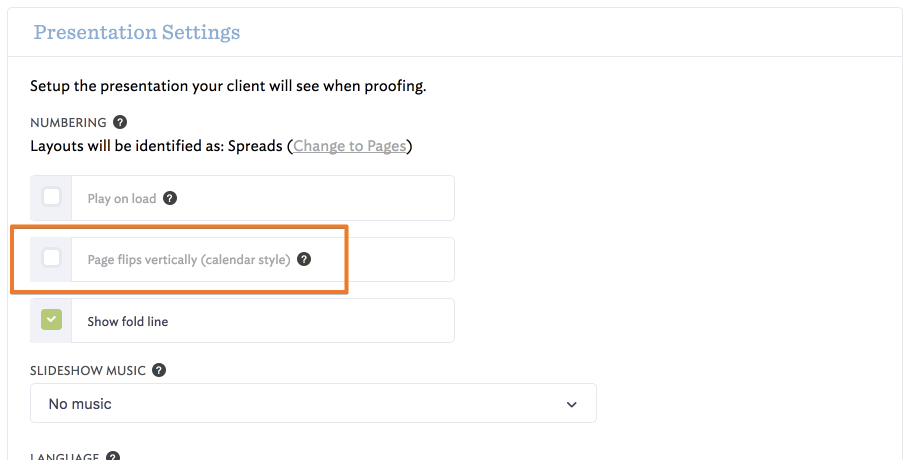
A short while ago we changed numbering in client presentations to indicate pages rather than spreads because so many of you asked for it. Once we did, enough of you requested that we change it back that we decided to add the option to do either, with the default to spreads.
This change will take effect on Monday, August 8 at 10 AM PST. If you have any albums out to clients that you would like to stay presented as pages, make sure you login and indicate that before then.
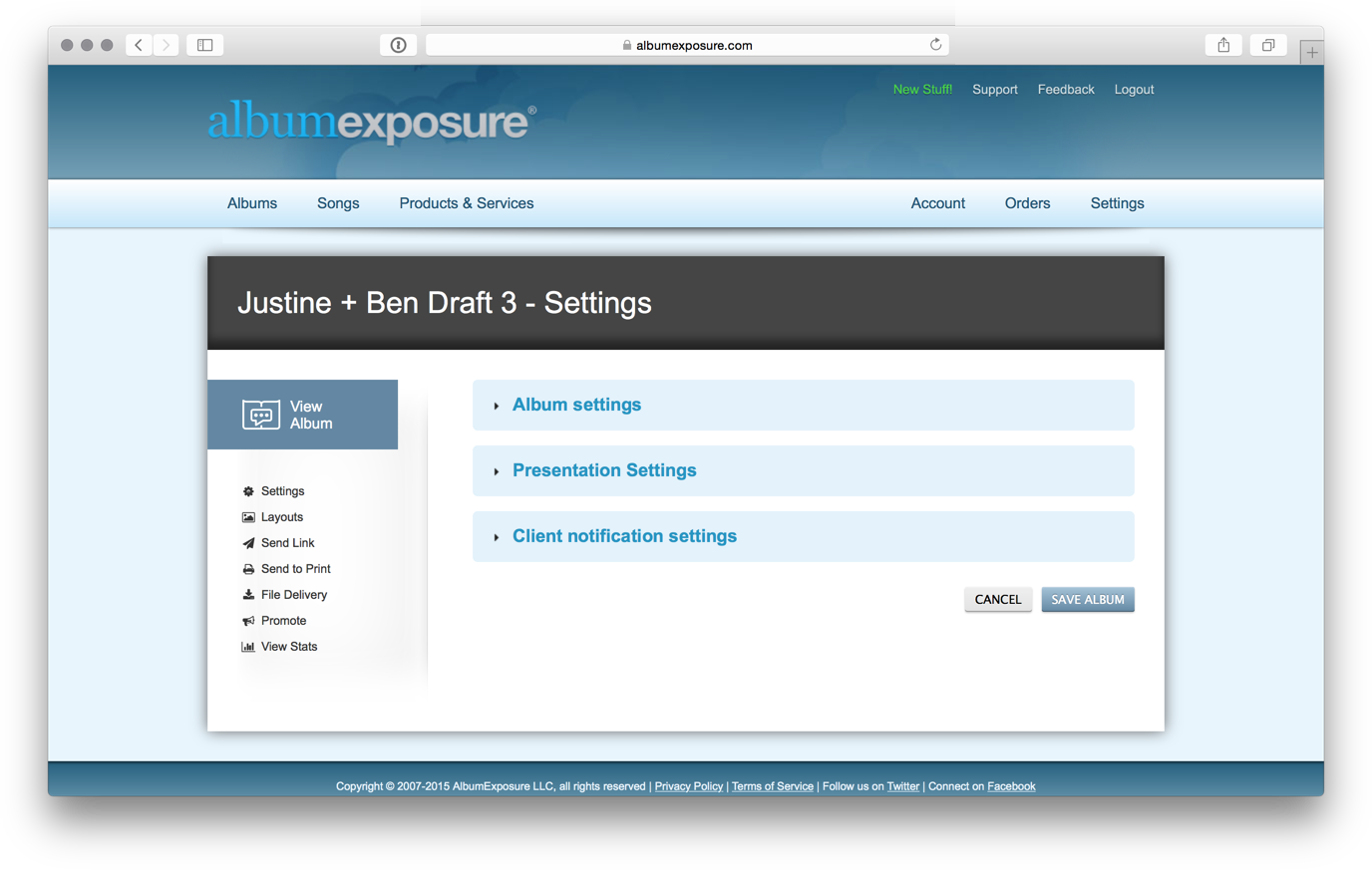
You’ll find the new option under preferences in your account:
Here’s how the presentation looks with the each option:
We hope that the change lets you communicate to your clients consistently in your presentations, no matter if you prefer to work with spreads or pages.
Cheers!
Upsell and Promote with the Public Page
April 29th, 2011
After you’ve created your album, make sure you take advantage of the features we’ve built into AlbumExposure to promote yourself and sell more books!
The public link under “share” is a great page to encourage your client to share their album with friends and family. It’s a great opportunity to get your work in front of more people. You could also send that link to parents or extended family for the opportunity to sell an additional book to them. We’ve heard of lots of creative ways people are using the public page!
Last week we added a couple little items to make sharing your albums on AlbumExposure even easier. When you click to share an album, you’ll see two new share buttons that you can click to quickly tweet or post on facebook about your album.
We also added buttons to the public page so that people who come to view your album can share it on twitter and facebook as well and do some of that promoting for you.
Cheers!
WordPress Plugin from Photography Blogsites
April 12th, 2011
If your website is wordpress based and you would like to display your albums on your own domain, you don’t need to go through the normal process for masking your domain.
Instead, check out the photographer connections plugin from Photography Blogsites.
I set up my own Photo Blogsite trial to test it out, here’s what the site looks like with my customizations and sample album presentation masked via the plugin :
All I had to to was to enter my albumexposure username and the plugin did the rest!
I had fun setting up the rest of my photo blogsite too, the theme I chose had a neat gallery view (all photography blogsites are HTML5) and I imported a blog post too:
If you’re looking for a website that’s easy to setup and customize, I’d recommend checking out Photography Blogsites, and if you’re already on a wordpress based site, check out the plugin.
AlbumExposure users can also save 10% on a blogsite with the code ALBUM10.
Cheers!
An in-depth look at what’s new in AlbumExposure
March 29th, 2011
We posted earlier this month that went over a few of the major new features that were going to launch with AlbumExposure, but we wanted dive in a little deeper to the changes and implications.
We hope that whether you’re just checking out AlbumExposure, tried it some time ago or even if you’ve been with us for a while, you’ll find the updates a welcome change.
We’d also love to hear your feedback, so let us know!
Cheers!
The AlbumExposure Team
![]() |
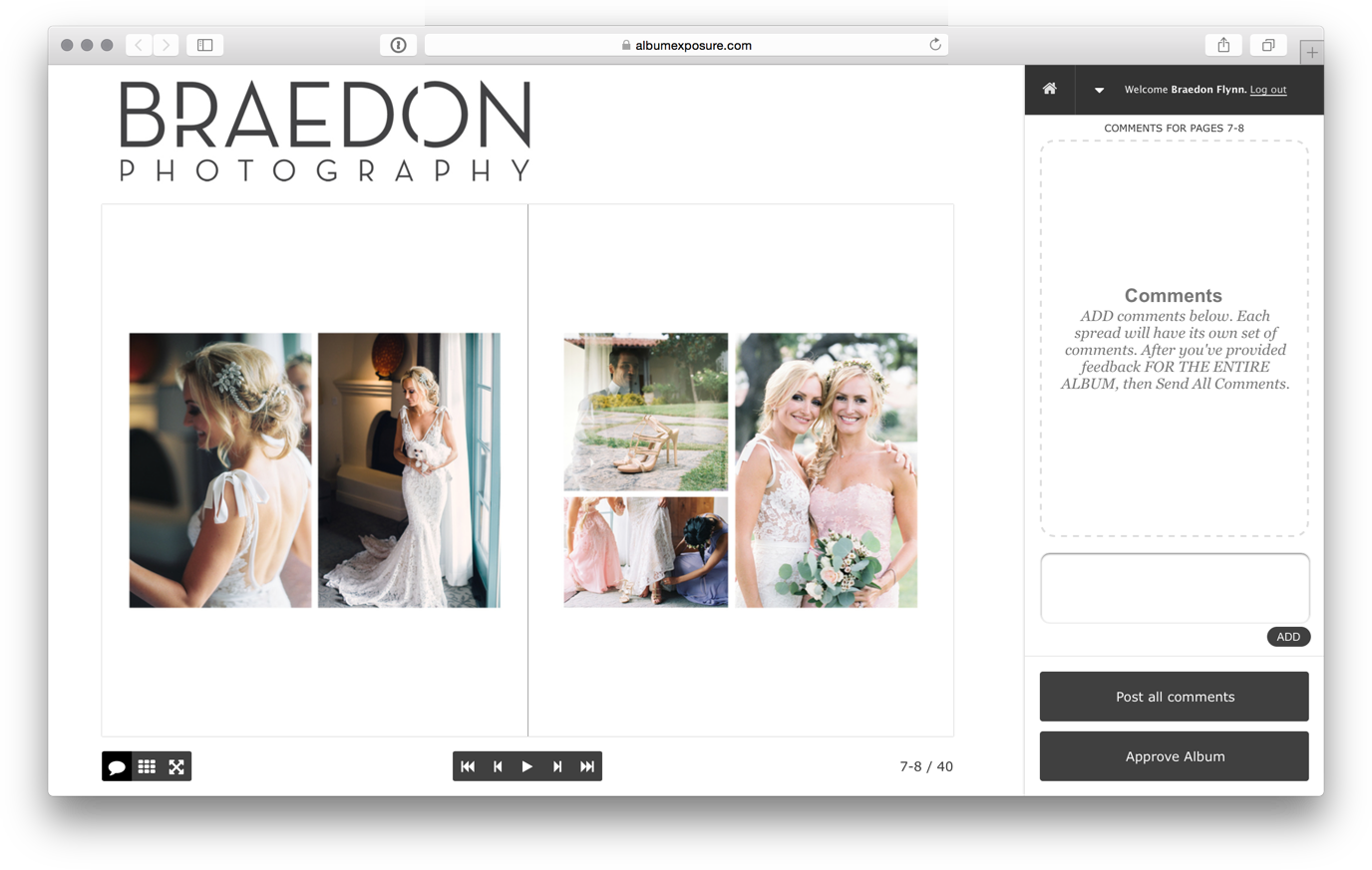
A friendlier client interfaceWe redesigned the client interface in HTML5, which means no matter where your client views your album, computer, mobile phone or tablet device, it’s going to look great. We also included a new page turn animation that both loads faster and looks more like a real book to give your client a better experience of how their actual book will look. Since modern albums lay flat the old gradient is gone, but you can still include a center page fold line if you like. |
![]() |
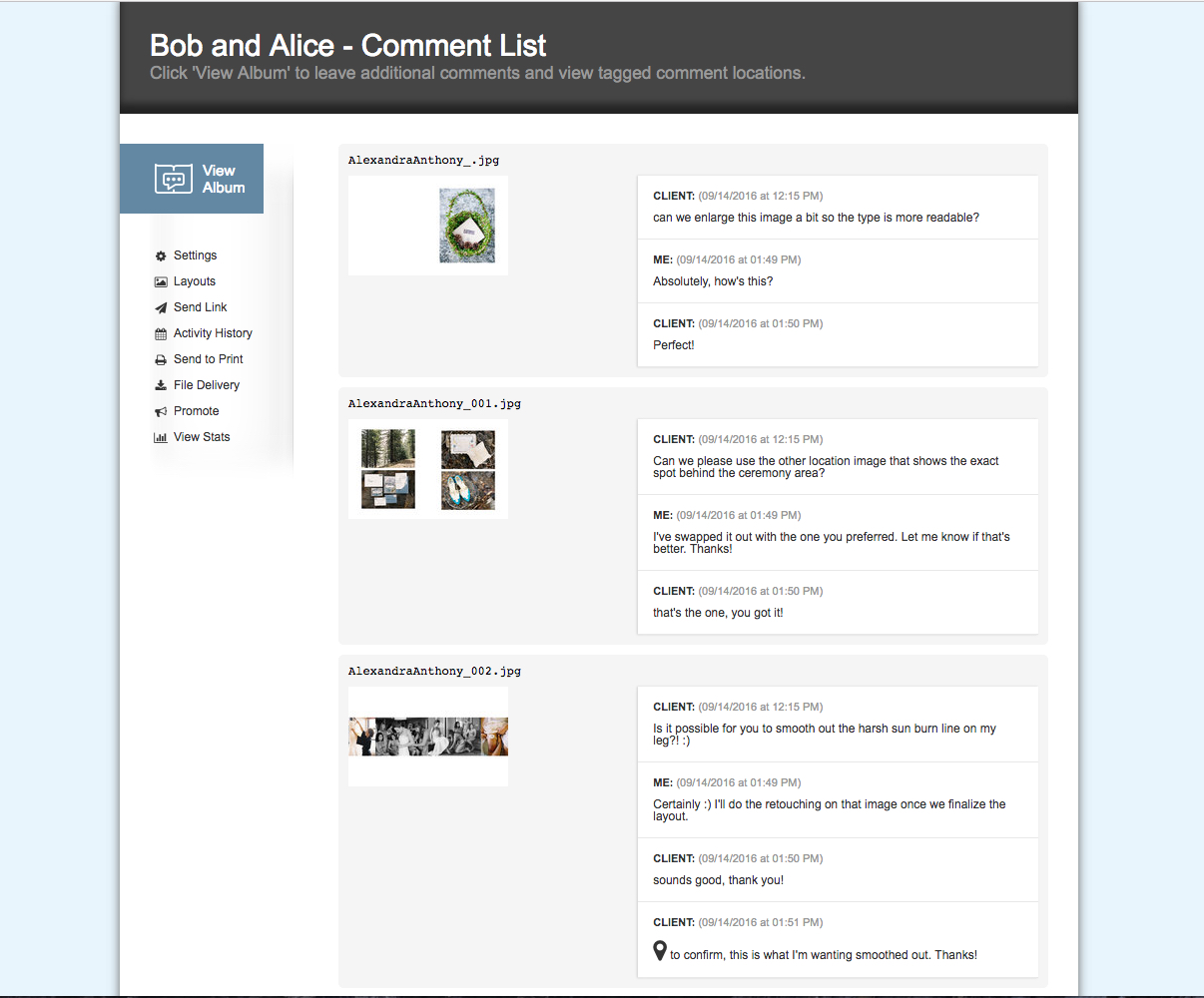
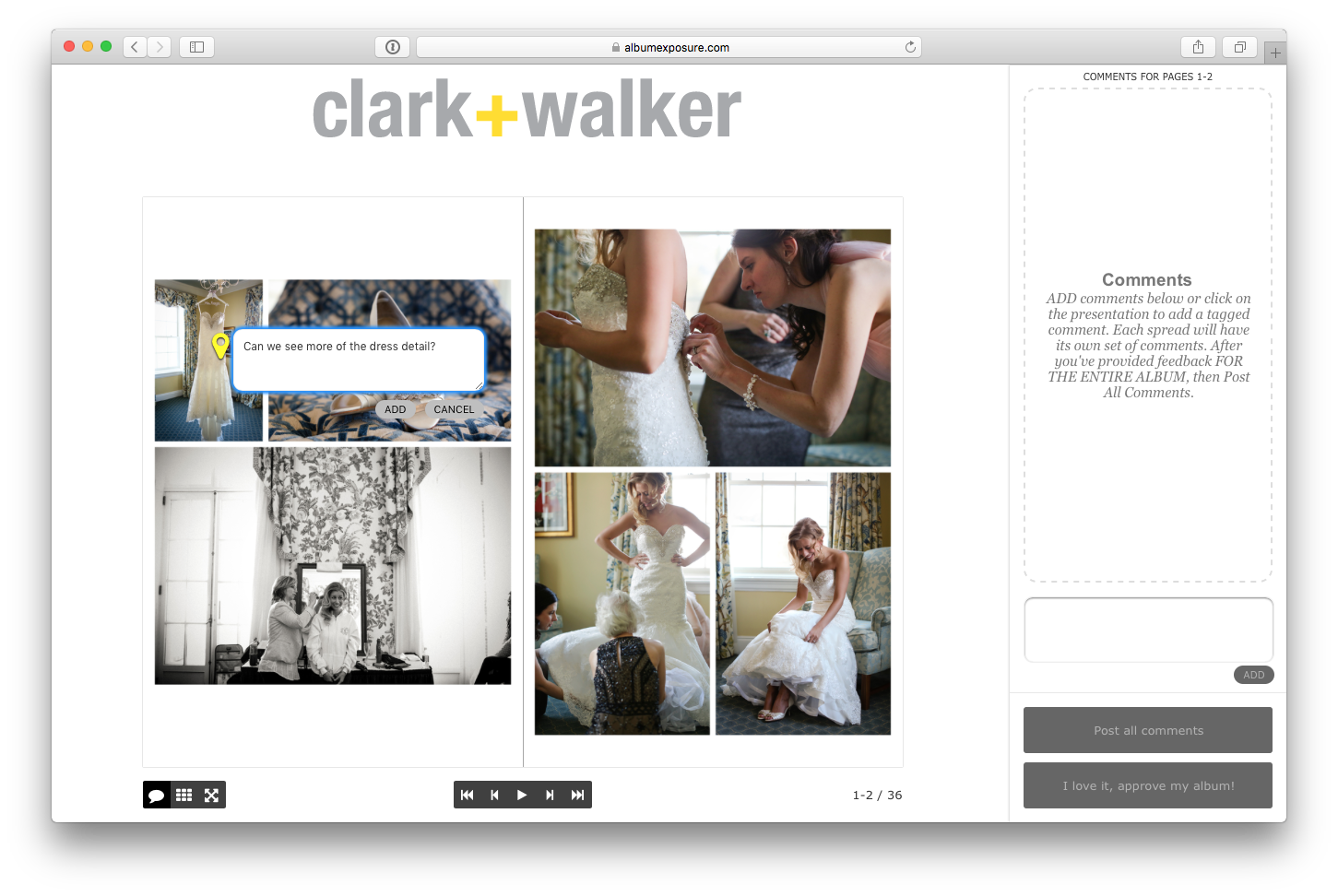
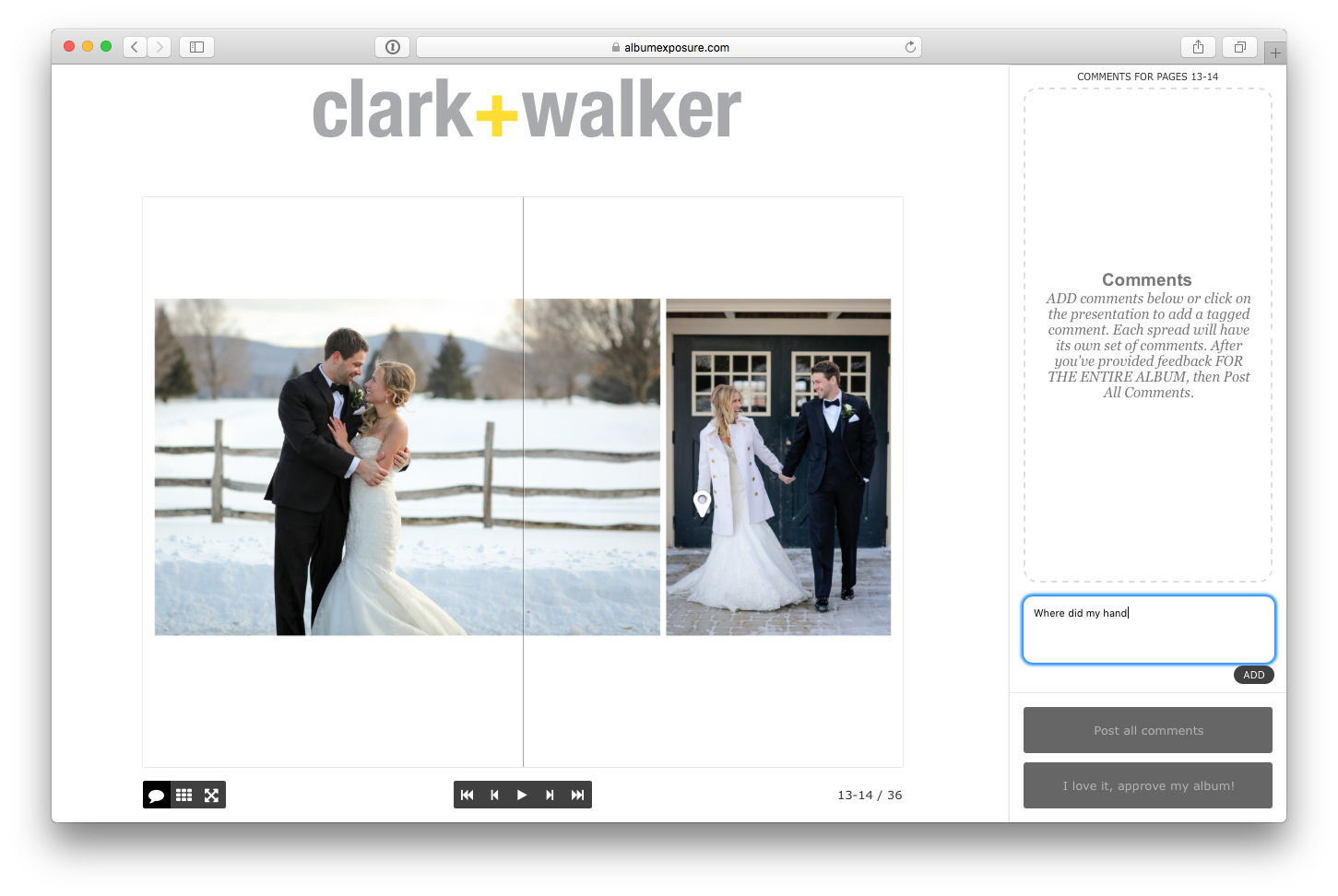
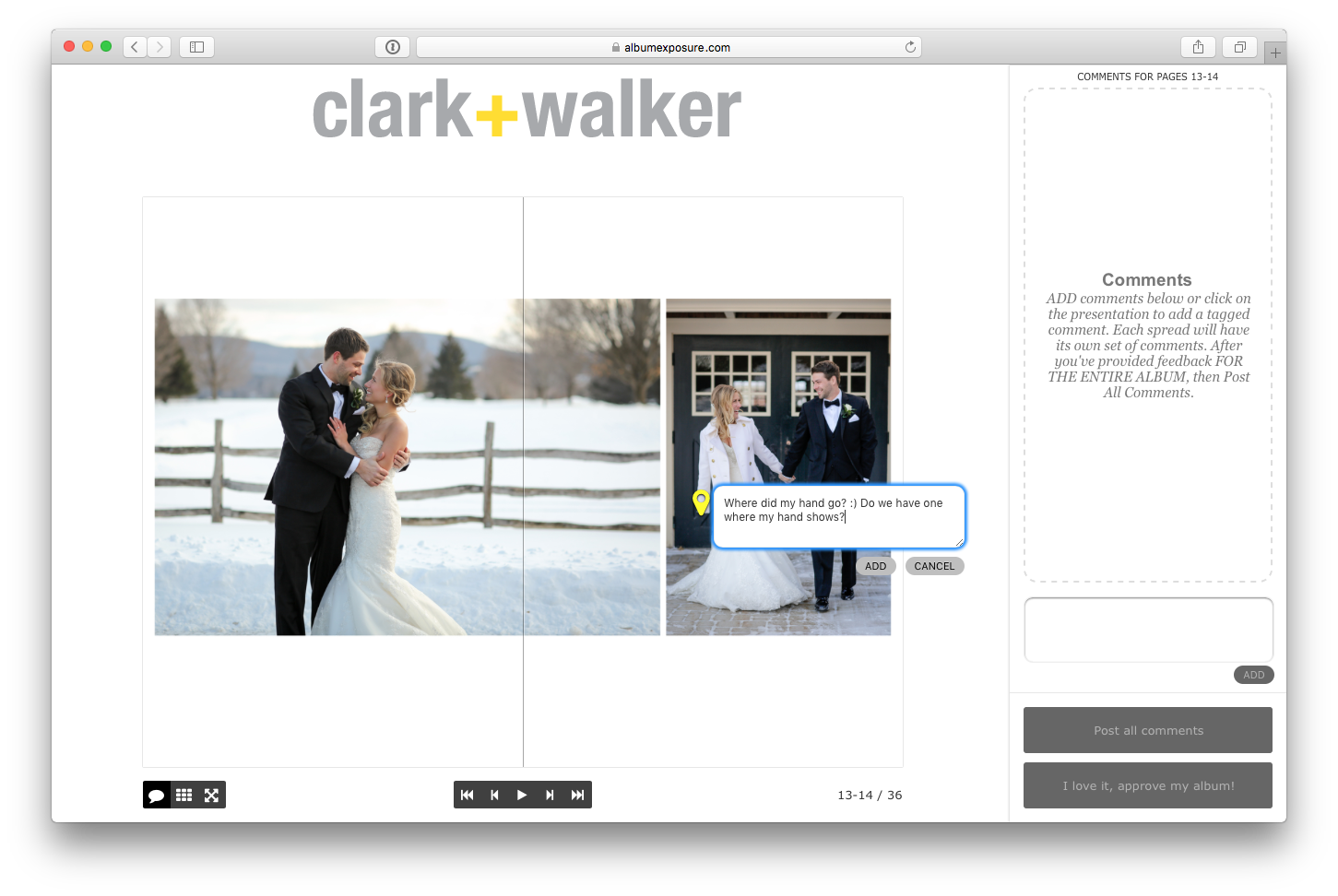
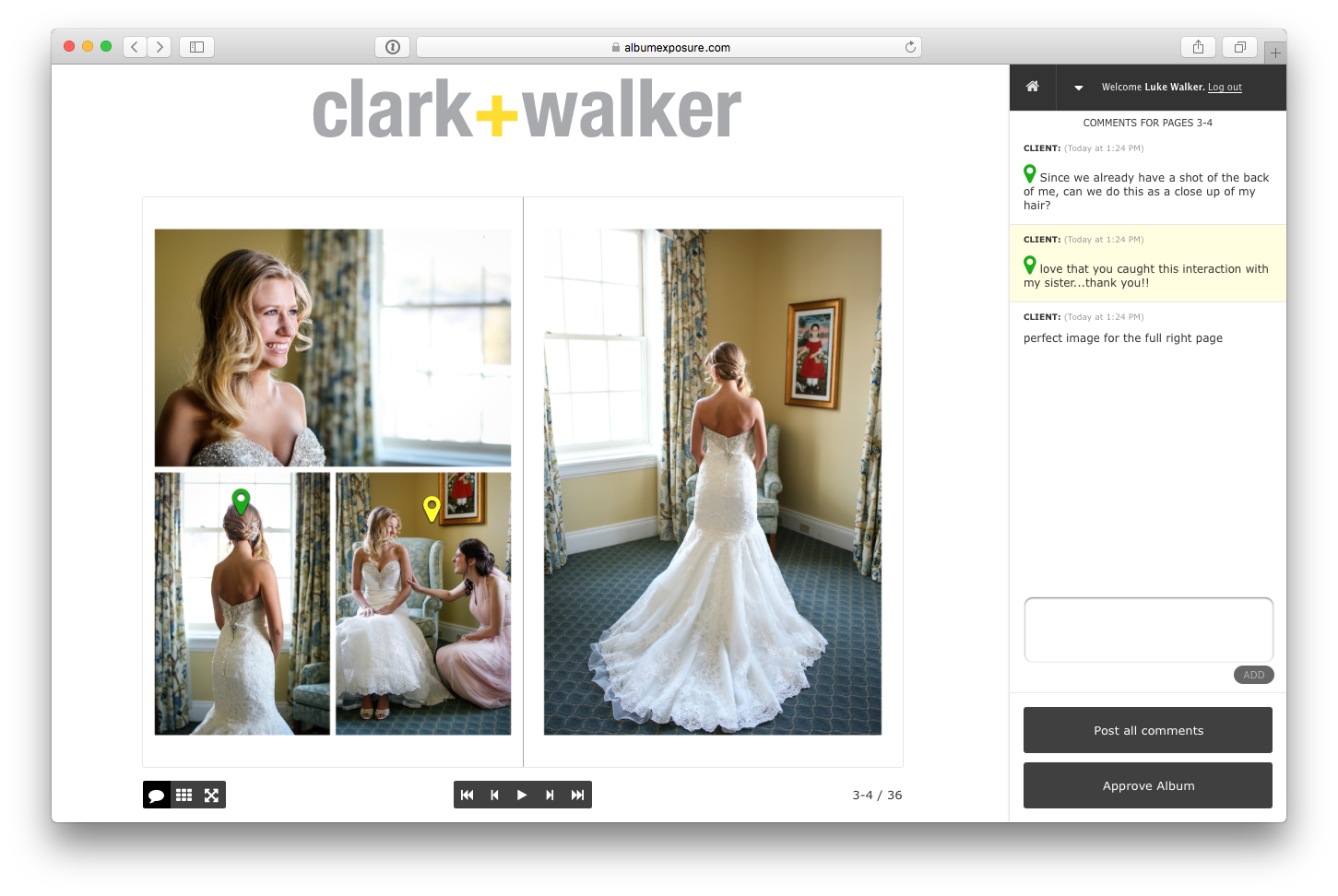
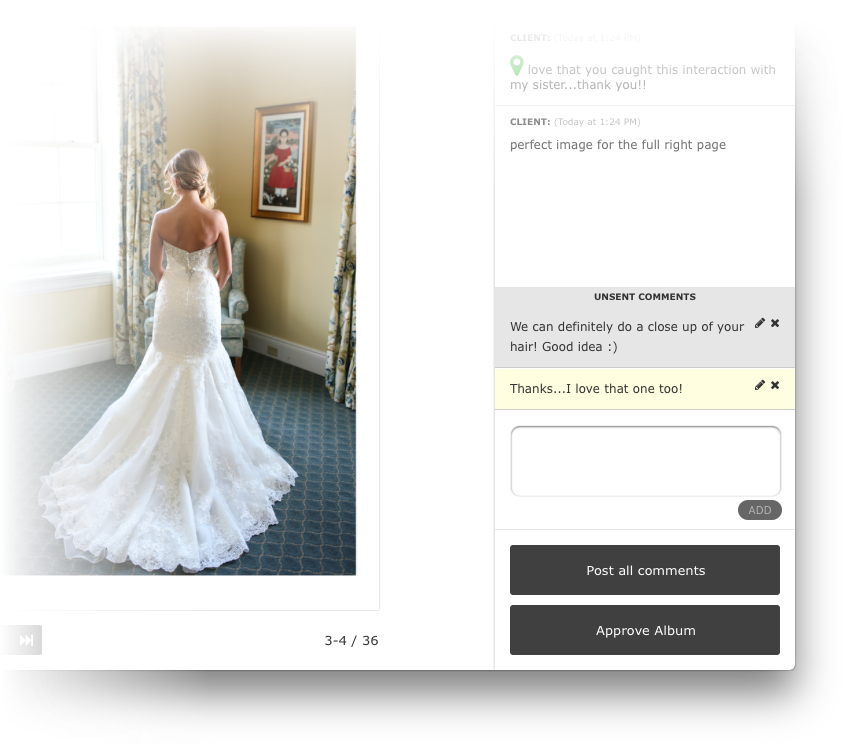
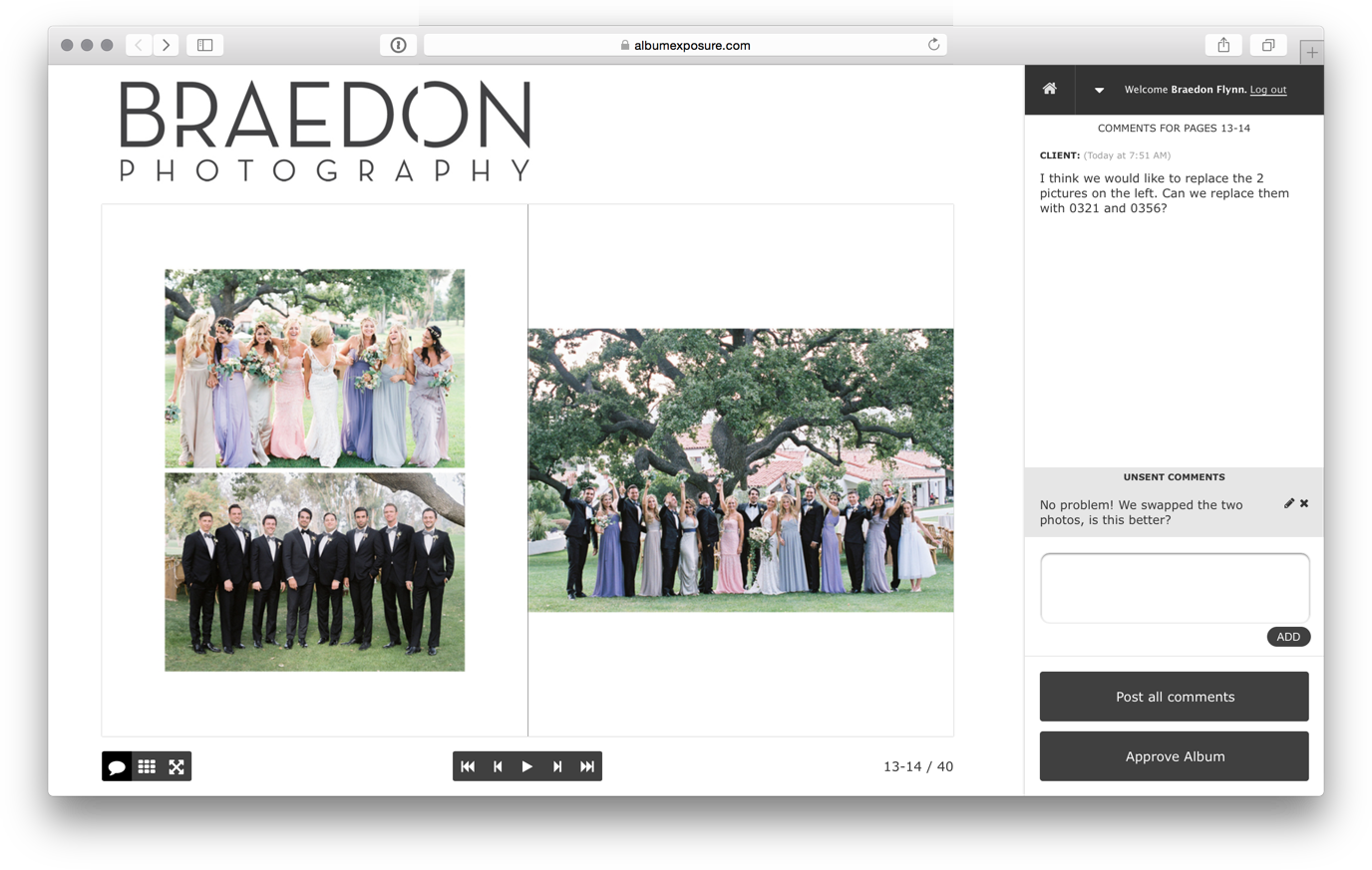
Comment conversationsThe most popular request that we received on our feedback page was to facilitate communication to the client, not just from the client. So, the biggest revision to the client interface was to create an interactive conversation on each spread. Now when your client logs in they can see comments that you’ve left for them on each spread. Comments will be posted in a chat style format that’s familiar and intuitive to clients. |
![]() |
Fullscreen zoomScreen sizes vary and sometimes the client wants to get a closer look at the images that will be included in their album. That’s why we added a feature where a client can click at anytime to get a full screen display of any image. We of course take every precaution to make sure the client can’t download your images. |
![]() |
Images in comment emailMany of you talked to us about how you use the email that AlbumExposure sends that includes the client comments. Some of you print it, some file it away, some use it to make revisions from. To make it easier to see right away what the client comments are referring to, we included the thumbnails of the images right there on the email. |
![]() |
Replacing spreadsOne large drawback to updating spreads with AlbumExposure previously was that to replace a spread you needed to delete the original, upload the replacement and drag it into place. Now it’s just one step: upload an image with the same filename as the original and AlbumExposure will detect it and replace the appropriate spread in one step. Done. |
![]() |
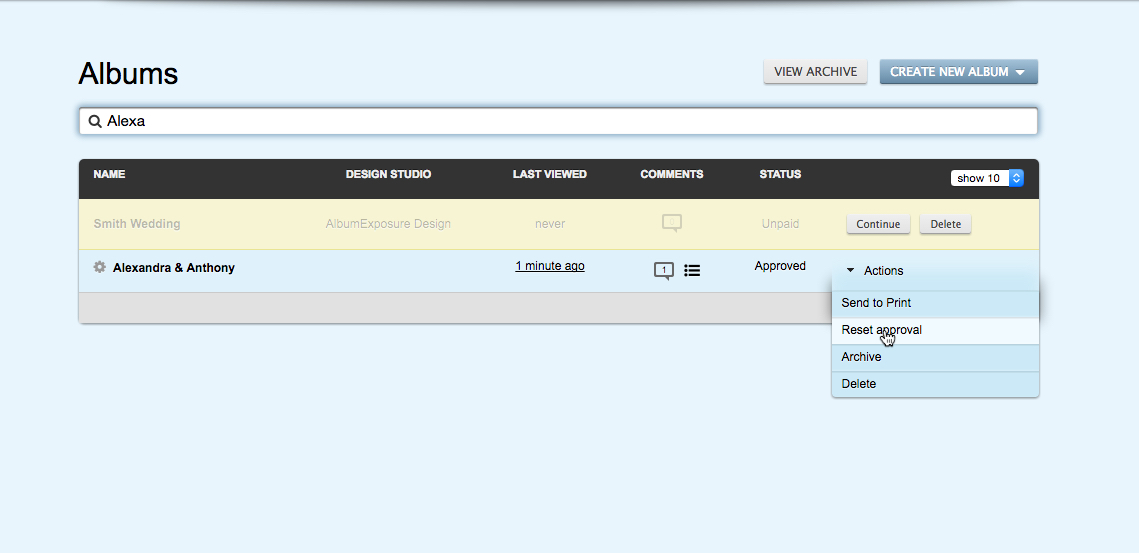
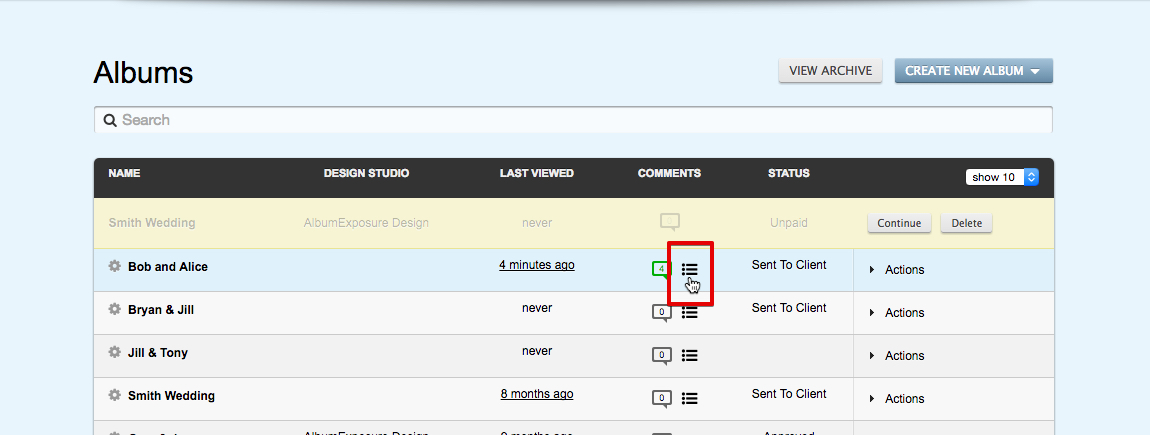
New Comment ViewWe’ve redesigned how you’ll view comments when you log in to albumexposure. You, as the photographer or album designer, can now click on spread and reply to client comments inside albumexposure. Those comments will be displayed to the client the next time they log in. Previously if you re-ordered spreads, the comments no longer lined up, but now comments are tied directly to the spread that they’re made on. Now when you click on a spread you’ll see the entire conversation history for that spread, even after re-ordering or replacing the image. |